Skip to main content

- Go to homepage
- Study
- MFA
- one time passcode
How to log in with a one-time passcode
Follow these steps to log in with a one-time passcode if you don’t have your multifactor authentication (MFA) device with you when logging into your TAFE NSW account.
Step 1: Request a passcode
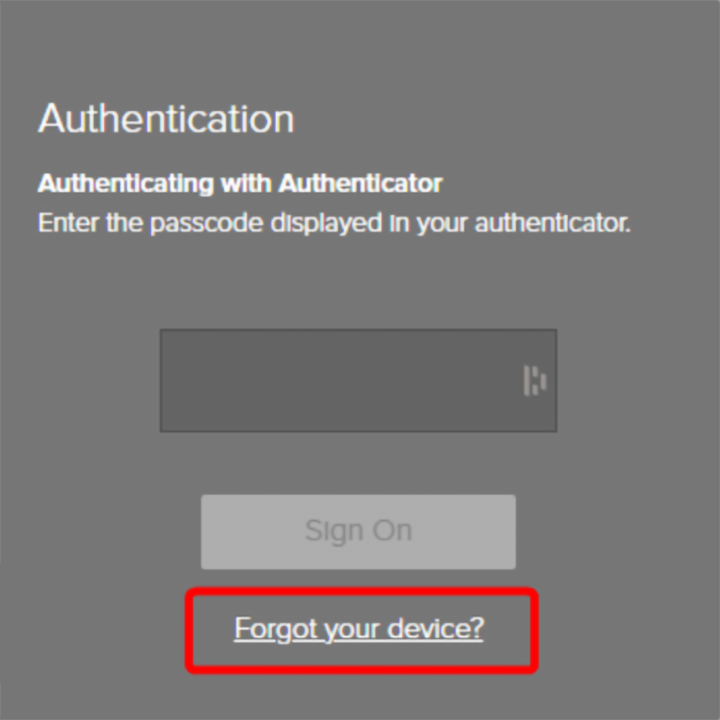
- Select ‘Forgot your device?’ when you see the MFA Authentication screen.
-
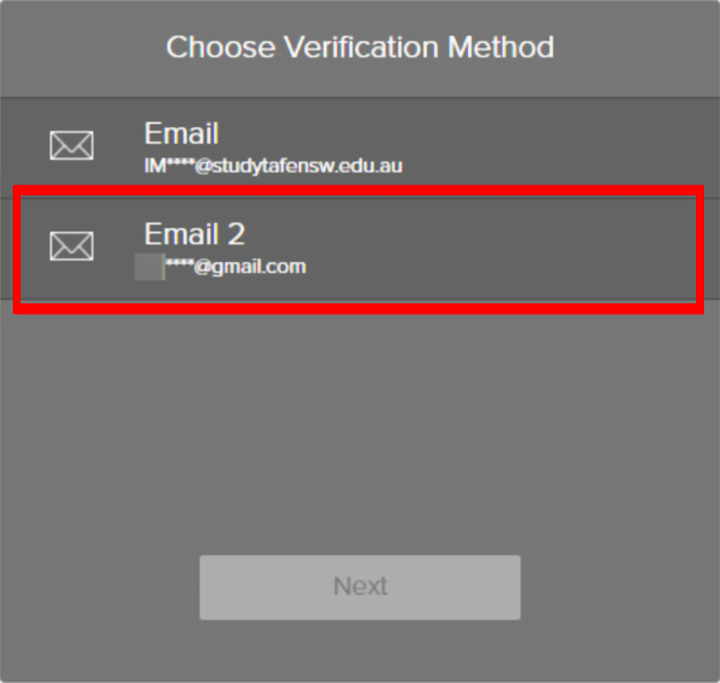
Select your personal email from the ‘Choose Verification Method’ screen.
-
Select ‘Next’.
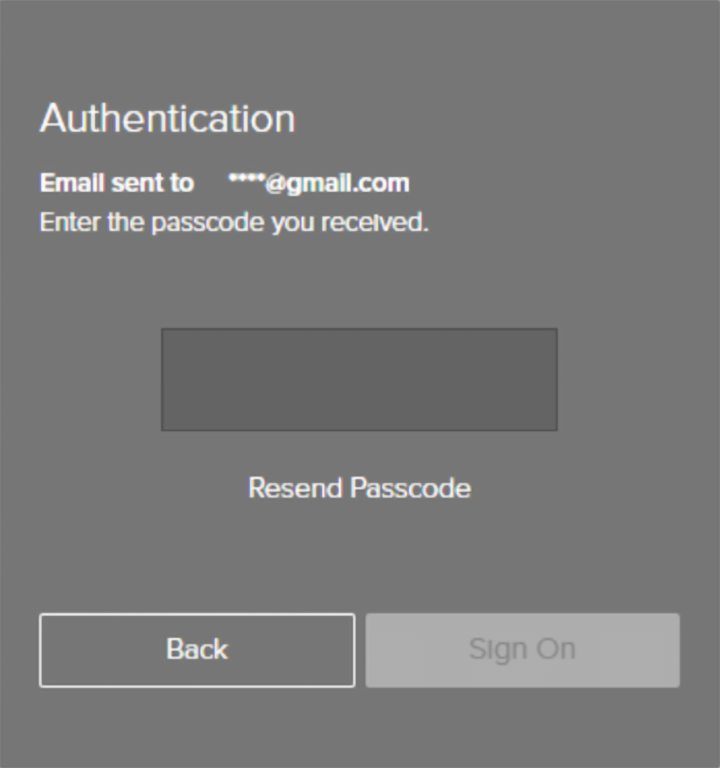
- You will see the ‘Email sent’ screen.
Step 2: Get your passcode
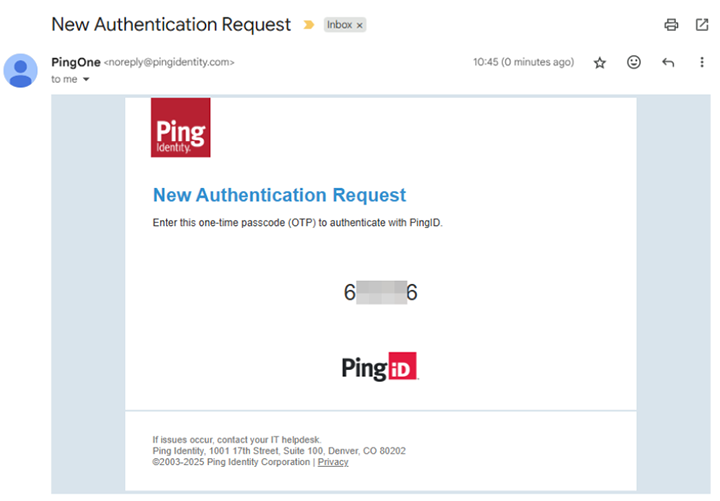
- Check your personal email to get the passcode. This will be sent in an email from Ping Identity.
Step 3: Enter the passcode
-
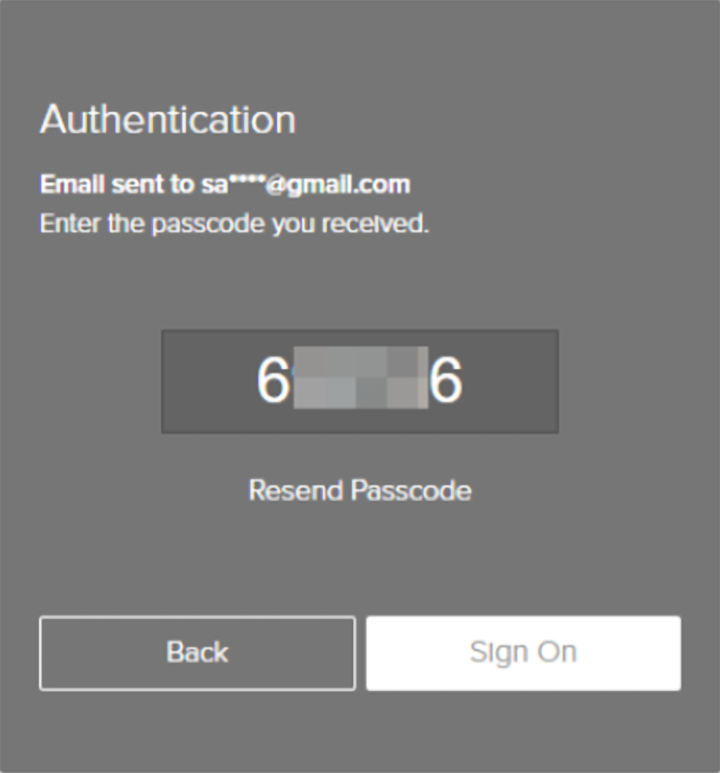
Enter the passcode provided in the email into the computer.
-
Select ‘Sign On’.
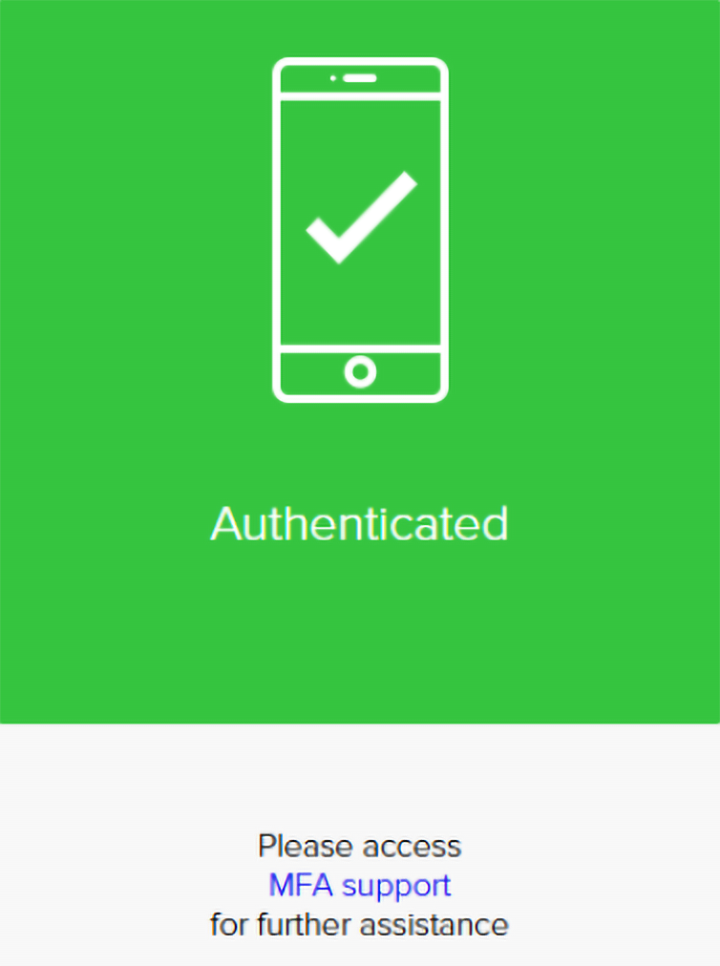
- You should now see the green ‘Authenticated’ screen and be logged on.
We’re here to help
For technical support check out our self-help guides or if you still need help, live chat or call IT support on 131 601 and follow the prompts.