Skip to main content

- Go to homepage
- Study
- Get started
- Find your username
Find your username
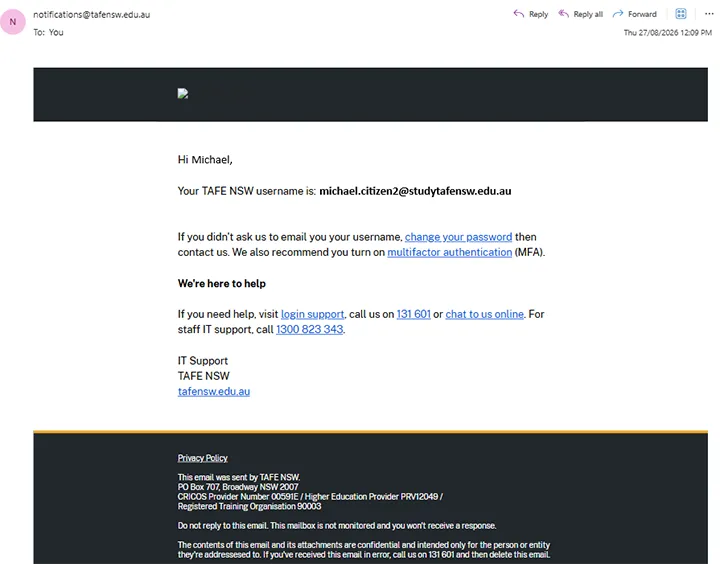
Your username is your TAFE NSW student email address. This is usually your first name and last name with a dot in between, followed by @studytafensw.edu.au. Sometimes it includes a number. For example, michael.citizen2@studytafensw.edu.au.
If you don’t know your TAFE NSW email address, you can find it in the email we sent to your personal email address when you first applied or enrolled. Otherwise, follow the steps on this page to look it up.
Before you start
You’ll need access to the personal email account you used to set up your TAFE account. We’ll send you an email confirming your username to this account.
Step 1
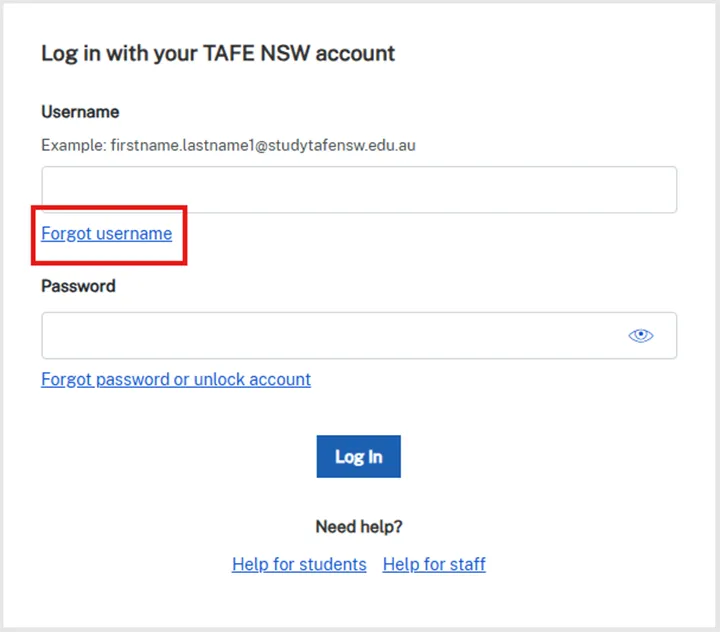
Go to the TAFE NSW login page: my.tafensw.edu.au
Select the ‘Forgot username’ link.
Step 2
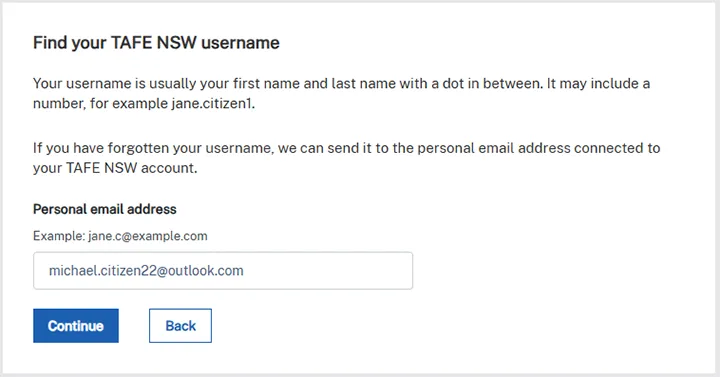
Enter the personal email address you used to set up your TAFE account.
Check that you’ve entered your email correctly.
Select ‘Continue’.
Step 3
Open the personal email account you used to set up your TAFE NSW account. You’ll get an email from us with your username.
If you can’t see an email from us:
- it may be in your spam folder
- you may have used the wrong email address (if you have more than one personal email account)
- you may have mistyped the right email address.
Step 4
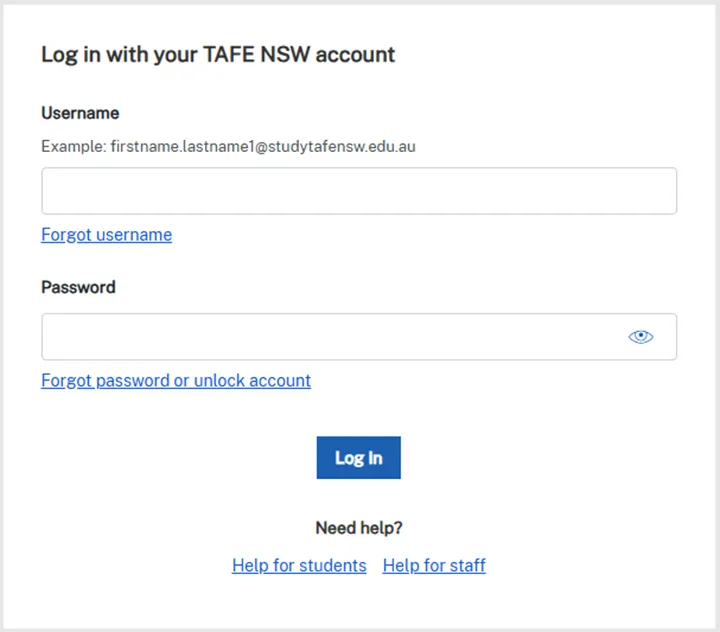
Go to the TAFE NSW login page and log in with your username.
If you’ve forgotten your password, you can reset your password.
We’re here to help
For technical support check out our self-help guides or if you still need help, live chat or call IT support on 131 601 and follow the prompts.