Skip to main content

Set up multifactor authentication with YubiKey
Your YubiKey lets you securely log in to TAFE NSW systems using multifactor authentication (MFA).
Follow the steps on this page:
- pair your TAFE NSW account with your YubiKey
- use your YubiKey when you log in.
Before you start
You’ll need a computer connected to the internet and your YubiKey.
Compatible YubiKeys include:
- YubiKey 5 Series
- YubiKey FIPS Series.
Account security
If you ever see an authentication request when you are not trying to log in, it could be someone else with your password. If this happens, report it to Student Services urgently on 131 601.
Step 1: Log in to the Student Hub
Option 1: If you have logged in to your TAFE NSW account before
If you’ve already logged in to your TAFE NSW account, you’ll need to adjust your account settings before you can activate MFA.
-
Log in to the Student Hub with your TAFE NSW account.
-
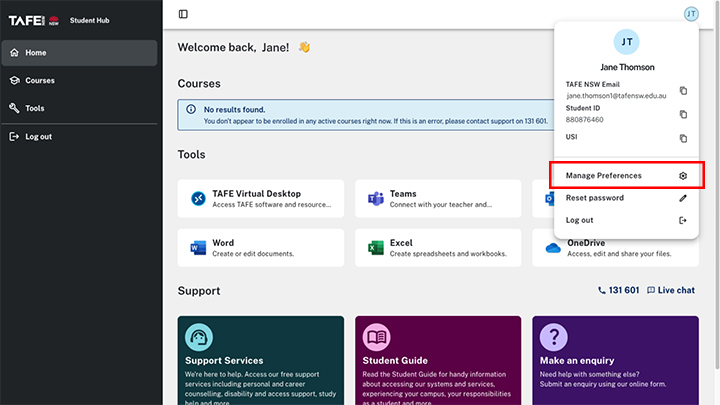
Locate your name in the top right corner and select ‘Manage Preferences’ from the dropdown menu.
-
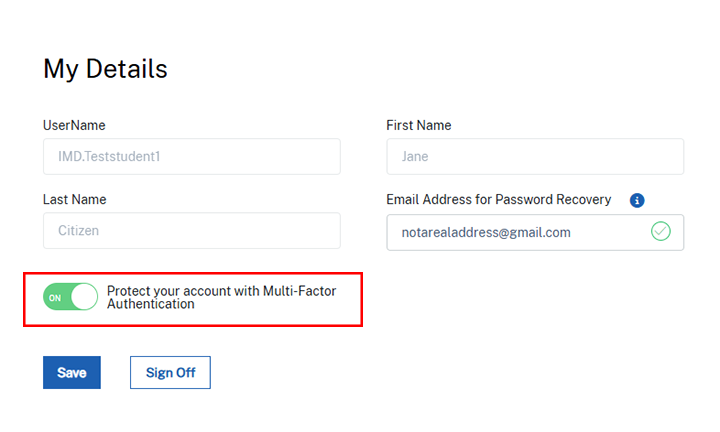
Slide the MFA switch to ‘ON’.
-
Select ‘Save’.
-
Log out of your account, then log back in.
-
Follow the prompts to set up your MFA software.
Option 2: If you’re logging in for the first time
On your computer
-
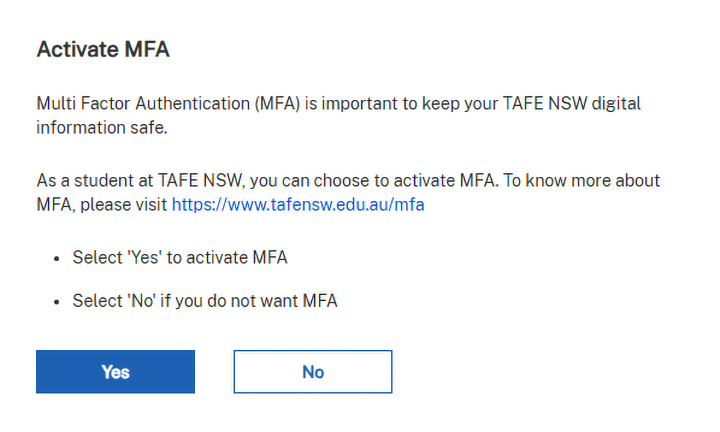
The first time you log in to a TAFE NSW system with your username and password, you will see the 'Activate MFA' screen.
-
Select ‘Yes’.
Step 2: Pair your YubiKey
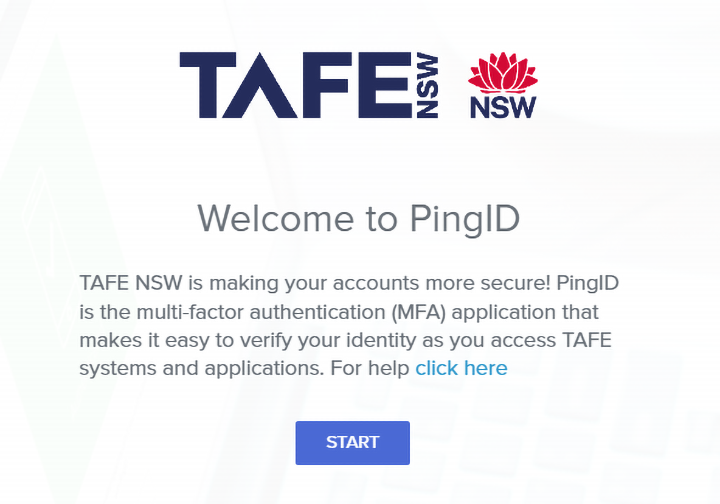
- You will see the ‘Welcome to PingID' screen. Select 'Start’.
-
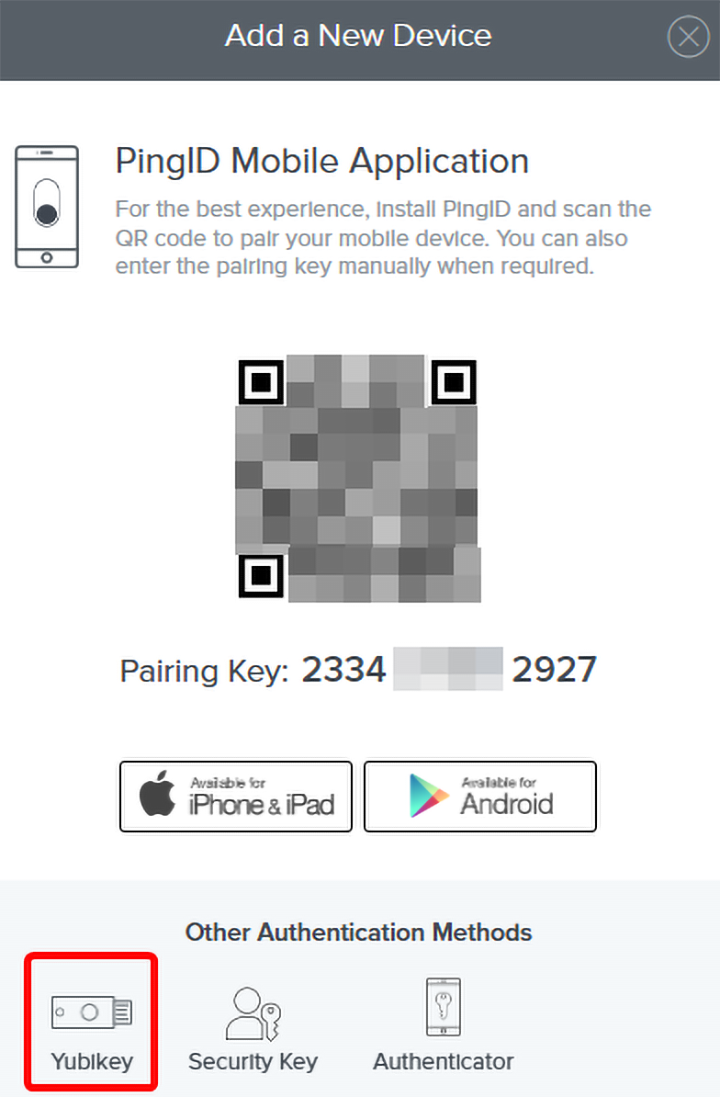
Your computer screen will show ‘Add a new device’.
-
Select ‘YubiKey’.
-
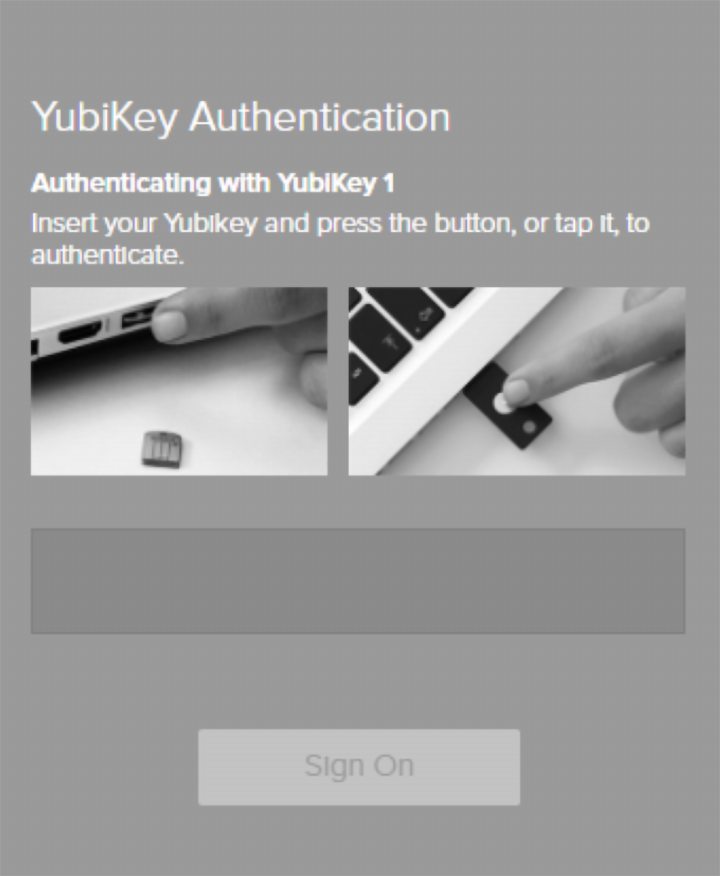
When the YubiKey screen appears, insert your YubiKey into a USB port on your computer.
-
Press and hold the 'y' button on your YubiKey. This will fill in the code on the screen and log you in.
Authenticate your login using YubiKey
When you log in to the TAFE NSW system, you will need your YubiKey with you. It's a good idea to keep your YubiKey on a keyring to keep it close by.
-
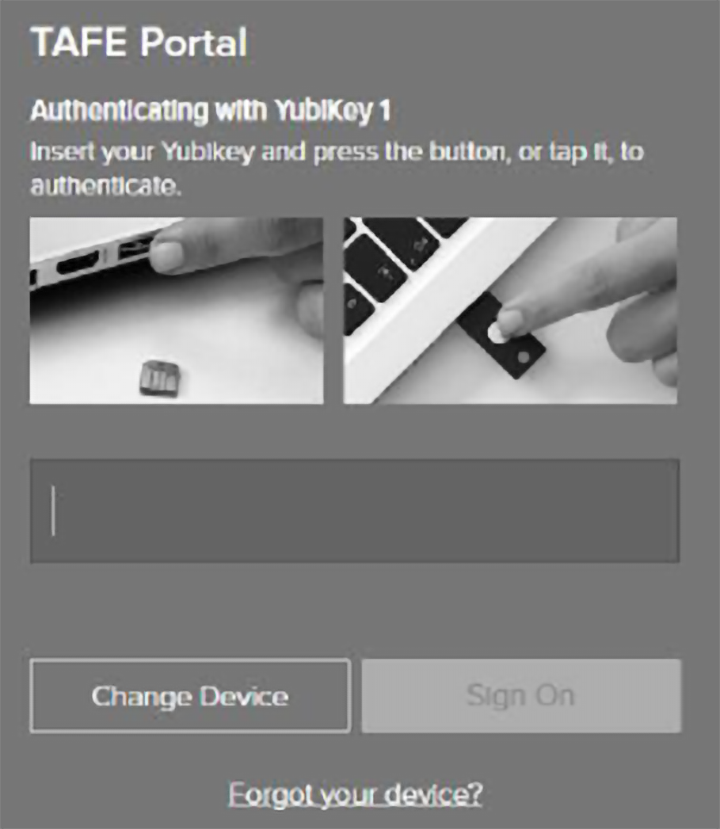
After entering your TAFE NSW password, you'll see a screen asking you to plug in your YubiKey.
-
Insert your YubiKey into a USB port on your computer.
-
Press and hold the ‘y’ button on your YubiKey. The YubiKey will enter your passcode and you will be logged in.
-
You can now remove your YubiKey from the computer.
If you don’t have your YubiKey
If you don’t have your YubiKey, you can generate a one-time passcode. The passcode will be sent to your personal email address.
We’re here to help
For technical support check out our self-help guides or if you still need help, live chat or call IT support on 131 601 and follow the prompts.