Skip to main content

- Go to homepage
- Study
- Get started
- Downloading software
- Install Adobe Creative Cloud
Install Adobe Creative Cloud apps
Follow the steps on this page to download and install Adobe Creative Cloud apps onto your device.
You must have administrator access on your device to install apps.
Step 1
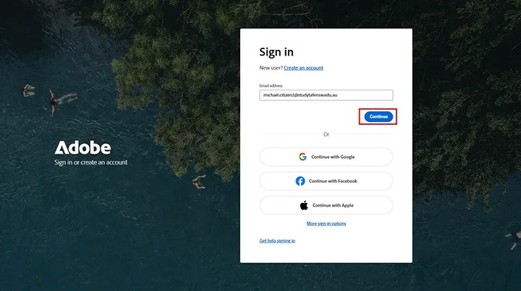
- Open your preferred web browser and search creativecloud.adobe.com.
- Select ‘Sign in’.

Step 2
-
Enter your TAFE NSW email address. For example: michael.citizen2@studytafensw.edu.au.
-
Select ‘continue’.
Step 3
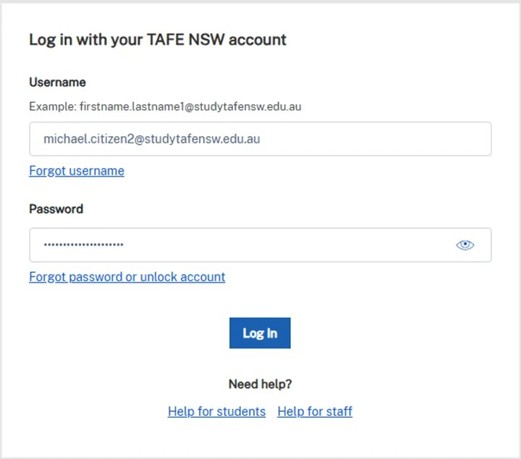
When the TAFE NSW sign in page appears, enter your:
- TAFE NSW username (for example: michael.citizen2@studytafensw.edu.au)
- your TAFE NSW password.
If prompted, approve the multifactor authentication (MFA) request if you have this set up on your device.
Step 4
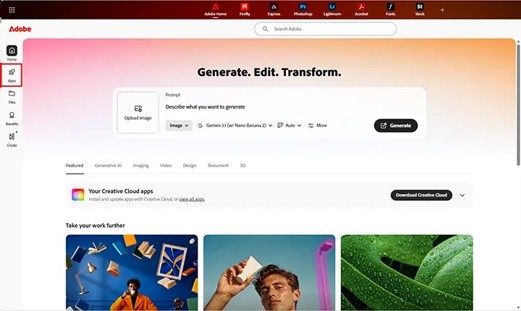
Once you’ve logged in, select ‘Apps’ from the left-hand side menu.
Step 5
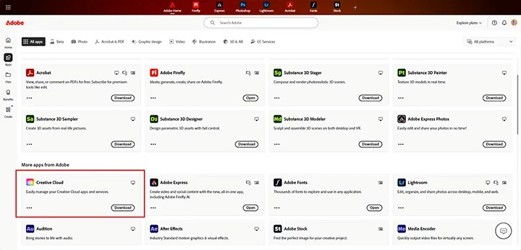
- Scroll to the Creative Cloud app and select ‘Download’.
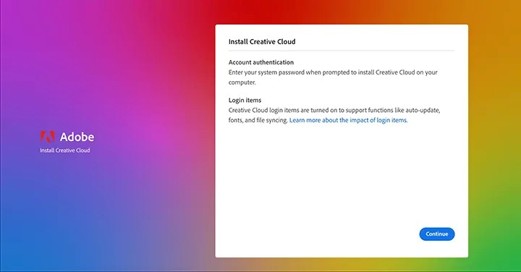
- When the download is complete, open the file and follow the prompts to install.
Step 6
Wait for the installation to finish. Adobe apps are large files, so this may take a few minutes depending on your device and internet connection.
Step 7
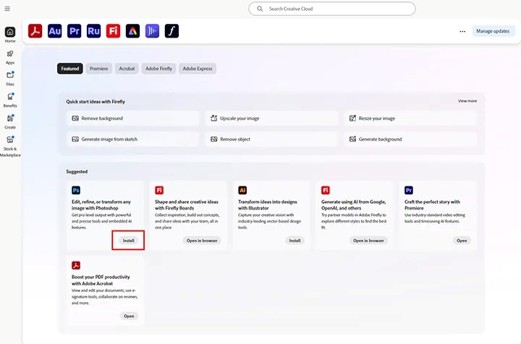
When the Creative Cloud desktop app opens, select the apps you need and select ‘Install’.
Your installed apps can be opened through either:
- the Creative Cloud desktop app
- the start menu for Windows
- the Apps folder for Mac.
We’re here to help
For technical support check out our self-help guides or if you still need help, live chat or call IT support on 131 601 and follow the prompts.